
1. Logo Specifications
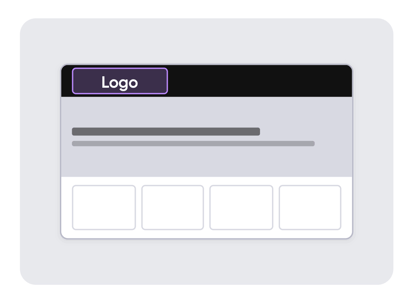
- File Format: SVG is highly preferred, but a transparent PNG under 5 MB is also accepted.
- Dimensions: The image must be at least 128 px tall.
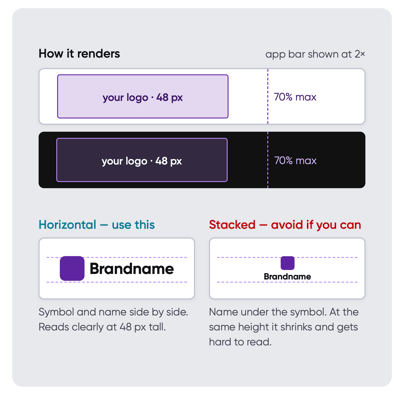
- Layout: Use a horizontal layout where the brand symbol and name are side by side.
- Trimming: Ensure the file is trimmed perfectly to the artwork's edges.
- Avoid: Stacked logos (where the name sits directly under the symbol) should be avoided because they shrink and become difficult to read at the rendered height.
- Rendering Details: Logos scale by height, rendering at 32 px (100%), 48 px (150%), or up to a maximum of 64 px (200%). They can occupy up to 70% of the app bar width. Because the app bar can be configured as light or dark, it is best to provide both versions of your logo.
2. Hero Background Requirements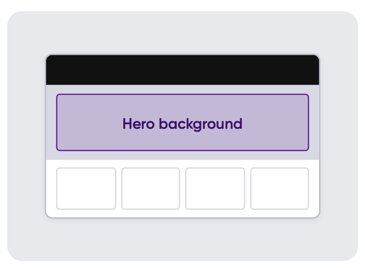
- File Format: Export as a JPG under 1 MB in size.
- Dimensions: 2560 x 960 px.
- Content: The background should serve as a calm, even backdrop. Do not include text or logos within the image itself. Soft photos, gradients, and textures work best.
- Display Modes:
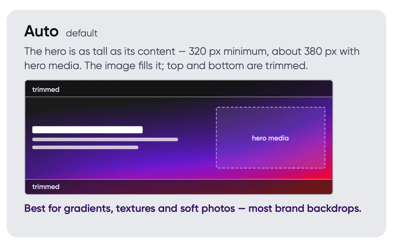
- Auto default: The hero area matches the height of its content (minimum 320 px, or roughly 380 px when hero media is included). The background image will fill this space, trimming the top and bottom.
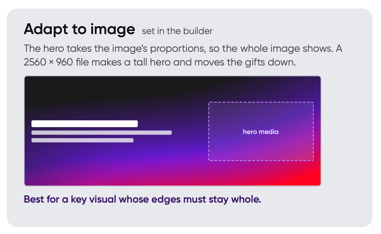
- Adapt to image: The hero area adopts the image's exact proportions to display the entire file. A 2560 x 960 px file creates a taller hero space and shifts the gift products further down the page.
- Auto default: The hero area matches the height of its content (minimum 320 px, or roughly 380 px when hero media is included). The background image will fill this space, trimming the top and bottom.
3. Hero Media (Gift or Product Image)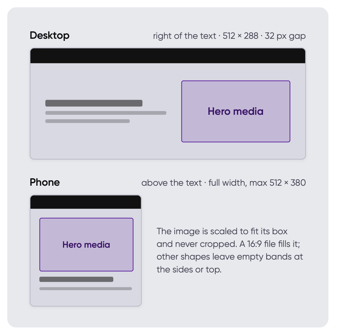
- File Format: Use a transparent PNG (or SVG/JPG/GIF) under the 5 MB hard limit. A transparent background allows the hero backdrop to show through seamlessly.
- Dimensions: Provide a 1024 x 576 px image, which represents a 16:9 ratio.
- Display Behavior: The image will always scale to fit its designated container and is never cropped. On desktop displays, it renders at 512 x 288 px, situated 32 px to the right of the text. On mobile devices, it spans the full width, capping at a maximum of 512 x 380 px above the text.
- Animations: Animated GIFs are fully supported to add subtle motion, such as a gentle light pass or a product turning. Ensure animations are slow, have low contrast, loop seamlessly, contain no flashing elements, and stay under the 5 MB limit.
Need Help?
If you have any questions or need further assistance, please contact our support team at support@imprintengine.com